Offline meeting transcription for Mac.
Transcript, summary, action items.
No cloud, no account.
VOA transcribes your meetings and writes the summary, both using AI that ships with the app and runs right on your Mac. Nothing ever leaves your machine.
No account needed · Source-only for now, no packaged download yet · Needs macOS Sonoma 14+ for meetings, Ventura 13+ for dictation
Not ready to build from source? Get an email when there's a packaged download.
How it works
Hit Cmd+Shift+Space from any app
VOA starts listening in any context. Zoom, your browser, the terminal. The same shortcut starts and stops recording.
Speak normally
VOA notices when you pause and transcribes what you've said as you go, so there's no waiting once the meeting ends.
Get your transcript
Your transcript and summary are both saved right on your Mac, ready whenever you need them.
What's under the hood
Production-grade local models. No cloud shortcuts.
One key, from anywhere
Cmd+Shift+Space starts and stops recording regardless of which app is focused. Works in Zoom, Google Meet, your browser, or a terminal window.
Runs on your machine
Whisper AI handles transcription, and a summarization model built into the app writes the summary. Both run on your machine and never send a byte outside your Mac.
Auto-labels your meetings
VOA reads macOS Accessibility APIs to detect when you're in Zoom, Teams, Google Meet, or Slack and names the recording for you.
Summaries, not just transcripts
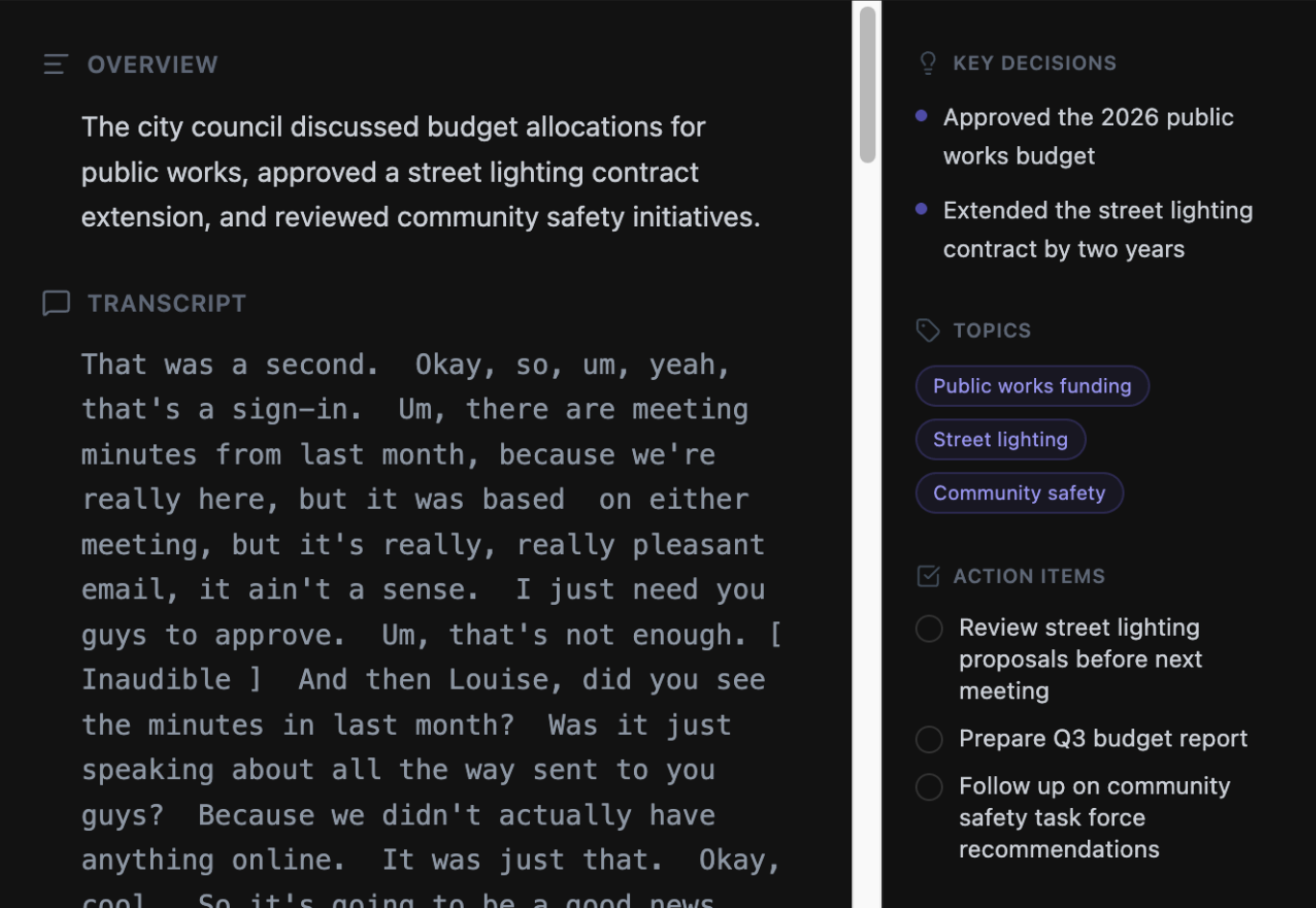
Reads your transcript and pulls out what mattered: decisions made, tasks assigned, and topics that took the most time.
- check_circle Key Decisions
- check_circle Action Items
- check_circle Topic Breakdown
Dictate into any app
A separate shortcut turns on dictation mode: VOA types what you say straight into whatever window you're working in, no meeting required.
Coming in future releases
Three things worth waiting for.
Search across every recording
Find the moment someone said "let's ship it" or "budget approved." Search by keyword, topic, or date across your full transcript history.
- arrow_right Full-text transcript search
- arrow_right Topic & keyword filters
- arrow_right Jump to exact timestamp
Group related meetings
Cluster recordings by series: stand-ups, interview rounds, client sprints. VOA detects recurring patterns and links related sessions.
- arrow_right AI-detected recurring series
- arrow_right Manual grouping & labels
- arrow_right Cross-session summaries
One view for every open task
Every action item from every meeting in one place. See what's open, what's done, and which meeting it came from.
- arrow_right Aggregated across recordings
- arrow_right Mark complete in one click
- arrow_right Linked to source meeting
Zero Data Exposure
Your audio is transcribed as you speak and never saved to a file. Only the text is kept, right on your own Mac.
Your audio never leaves your Mac.
Most AI tools route your audio through data centers you don't control. VOA runs the models locally. No API keys. No fine print. Full offline functionality once you download the models.
No telemetry
No tracking, no analytics. We don't know you downloaded the app.
Works off-line
VOA needs an internet connection once, the first time you open it, to download its AI models. After that, transcribe and summarize with no internet at all.
Read the code
MIT licensed. Every line is on GitHub. No hidden behavior, no undocumented network calls.
Own your recordings.
Free, open source, and runs on your Mac. Source-only for now, meeting recording needs macOS Sonoma 14 or later.
Not ready to build from source? Get an email when there's a packaged download.